How to Choose a Fitness Tracker: Features That Actually Matter
Learn how to choose a fitness tracker and which features matter, with practical guidance on activity tracking, heart-rate data, GPS, sleep features, battery life and comfort. This beginner-friendly guide helps you make a clear, informed choice without unnecessary complexity.
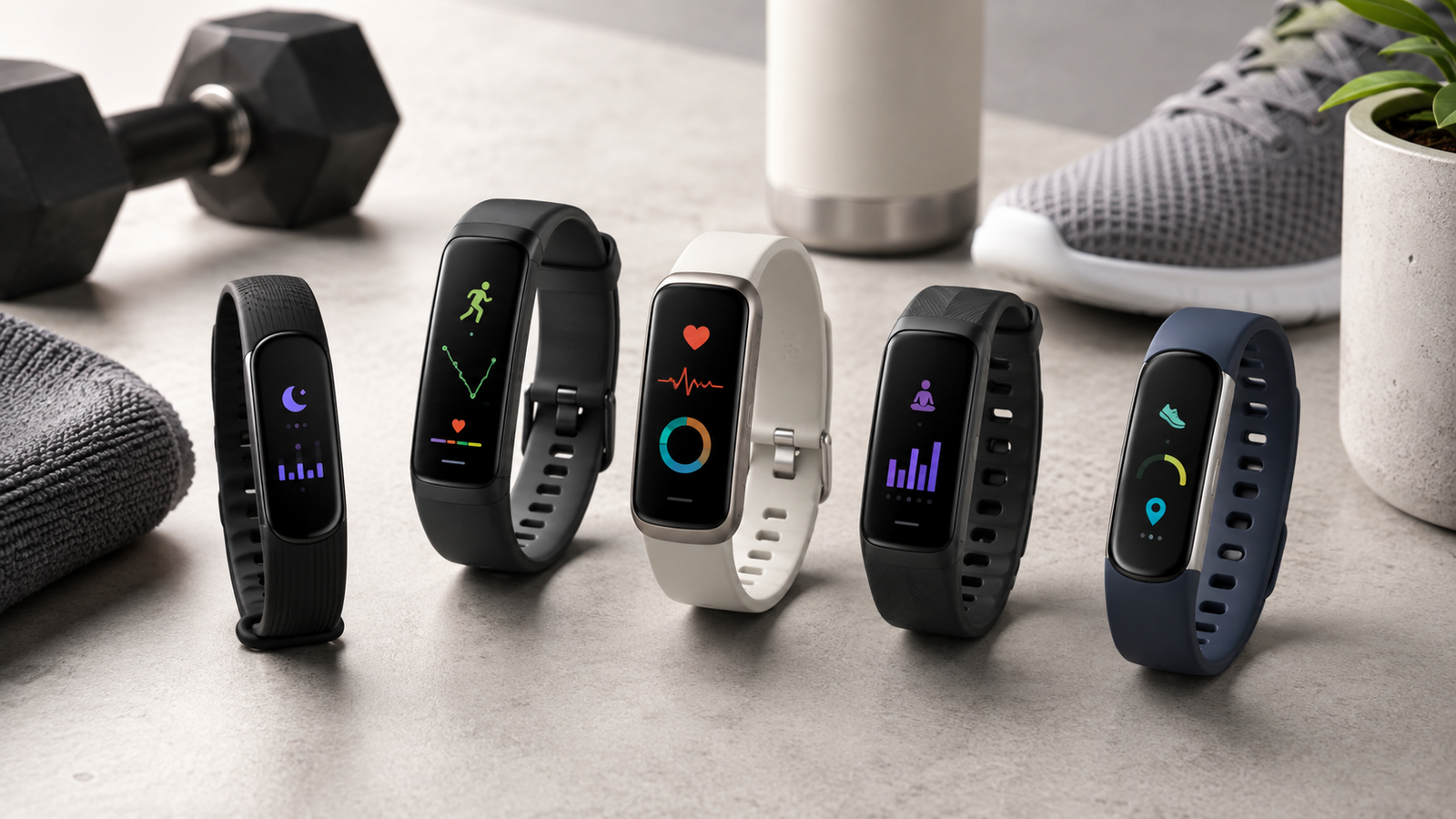
Fitness trackers have become much more sophisticated than simple step counters.
Depending on the device, they may track:
- steps;
- heart rate;
- workouts;
- distance;
- pace;
- GPS routes;
- sleep;
- blood oxygen estimates;
- recovery;
- stress;
- calories burned;
- menstrual-cycle information;
- training load;
- notifications.
That sounds useful, but more features do not automatically make a tracker better.
The best fitness tracker is the one that gives you useful information you can understand and act on, while being comfortable enough to wear consistently.
A practical way to choose is:
define what you want to track → choose the form factor → compare accuracy and battery life → check app compatibility → ignore features you will not use
For most people, that approach is far more useful than buying the device with the longest specification sheet.
What Is a Fitness Tracker?
A fitness tracker is a wearable device designed to monitor movement and selected physiological signals.
Depending on the model, sensors may include:
- accelerometers;
- gyroscopes;
- optical heart-rate sensors;
- GPS;
- temperature sensors;
- altimeters;
- blood-oxygen sensors.
Software then converts those signals into estimates such as:
- steps;
- distance;
- calories;
- heart rate;
- sleep duration;
- training intensity.
The important word is estimates.
Consumer fitness trackers can be very useful for trends, but many of their measurements are not perfectly precise.
Fitness Tracker vs Smartwatch
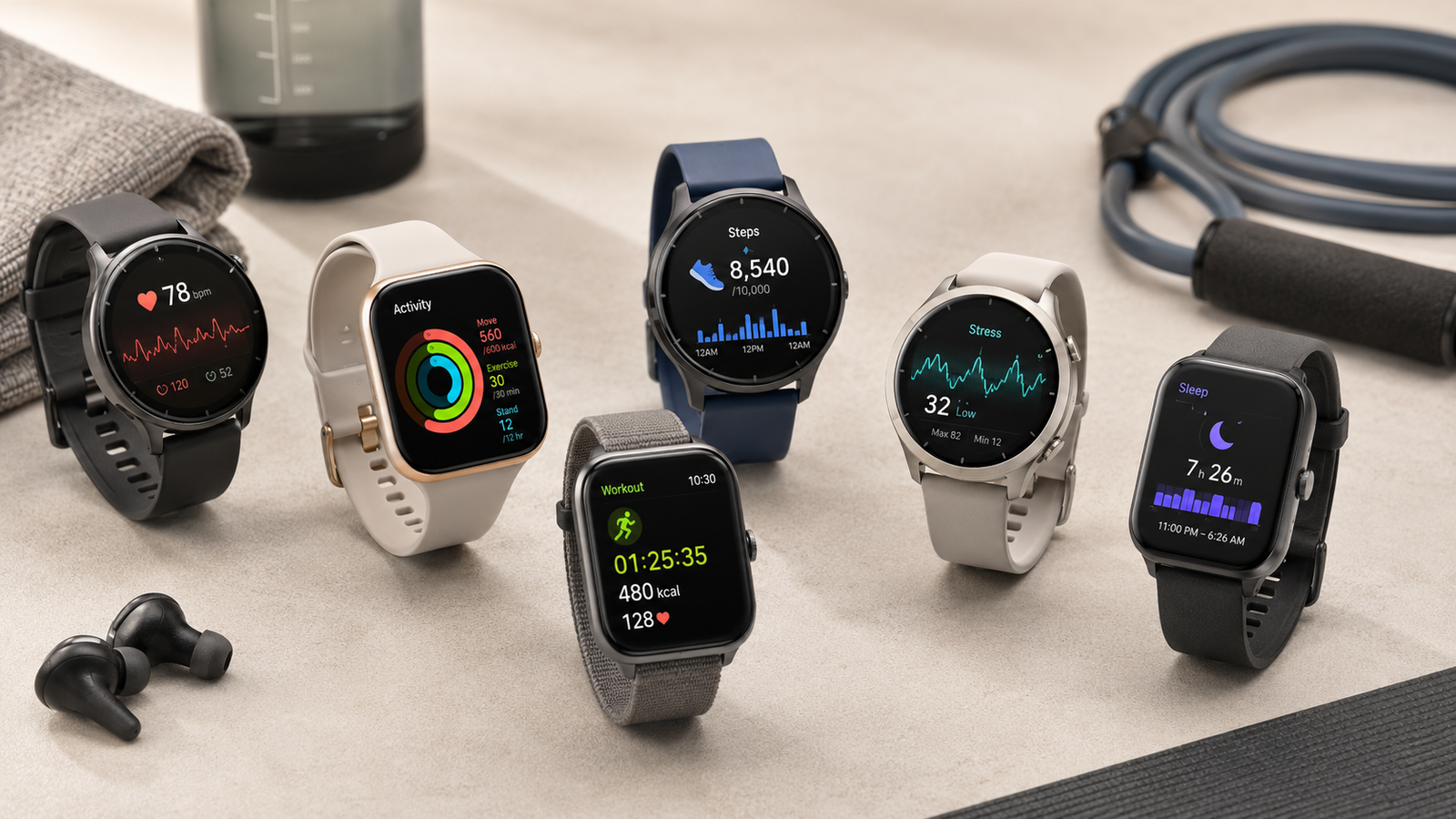
These categories increasingly overlap.
Fitness Tracker
Usually prioritizes:
- activity tracking;
- compact size;
- long battery life;
- simple notifications;
- lower price.
Smartwatch
Usually adds:
- larger display;
- apps;
- calls;
- messages;
- contactless payments;
- music;
- deeper phone integration.
Sports Watch
Usually prioritizes:
- GPS;
- workout metrics;
- training load;
- navigation;
- endurance battery life;
- advanced sport modes.
There is no universally better category.
Choose according to how much you value:
fitness tracking vs smartwatch functionality vs serious training features
Start With the Question: Why Do You Want One?
Before comparing devices, identify your primary reason.
General Activity
You may mainly want:
- steps;
- active minutes;
- reminders to move;
- basic heart-rate trends.
A simple tracker may be enough.
Weight-Management Support
A tracker can help monitor:
- activity;
- workout frequency;
- movement habits.
But calorie-burn estimates should not be treated as exact.
Running or Cycling
You may care more about:
- built-in GPS;
- pace;
- distance;
- heart-rate zones;
- route history.
Strength Training
Useful features may include:
- workout timer;
- heart rate;
- exercise logging;
- rest periods.
Automatic repetition counting can be convenient, but it is not always accurate.
Sleep Tracking
You may prioritize:
- all-night comfort;
- battery life;
- sleep duration;
- sleep schedule trends.
Overall Wellness
You may want one device that combines:
- movement;
- sleep;
- heart-rate trends;
- recovery;
- stress estimates.
The more clearly you define your goal, the easier it becomes to ignore unnecessary features.
The Most Important Feature: Comfort
A fitness tracker cannot collect useful long-term data if you regularly take it off.
Comfort should therefore be one of your highest priorities.
Consider:
- case size;
- thickness;
- weight;
- strap material;
- buckle design;
- wrist fit.
This matters especially if you want:
- sleep tracking;
- 24-hour heart-rate monitoring;
- long-term activity trends.
A device that looks impressive but feels uncomfortable at night may provide worse data than a simpler tracker you wear consistently.
Screen Size
Small fitness bands usually offer:
- lighter weight;
- smaller footprint;
- longer battery life.
But they may make:
- notifications;
- workout data;
- navigation;
harder to read.
Larger smartwatches offer more screen space but may feel:
- bulkier;
- heavier;
- less comfortable during sleep.
Choose the smallest screen that still allows you to comfortably read the information you care about.
Display Type
Common displays include:
- AMOLED;
- OLED;
- LCD;
- memory-in-pixel displays.
AMOLED and OLED
Usually offer:
- bright colours;
- strong contrast;
- attractive watch faces.
They may consume more battery, especially with always-on display enabled.
Memory-in-Pixel Displays
Often found in sport-focused watches.
Advantages may include:
- excellent outdoor visibility;
- lower power consumption.
They may look less vivid indoors.
Choose based on your priorities rather than assuming one technology is universally superior.
Always-On Display
An always-on display keeps basic information visible without raising your wrist.
It can be useful when:
- running;
- cycling;
- lifting;
- checking time frequently.
But it often reduces battery life.
If you do not care about constant visibility, turning it off may significantly extend runtime.
Battery Life
Battery life can dramatically affect the experience.
Some trackers last:
- several days;
- around a week;
- two weeks or more.
Feature-heavy smartwatches may require charging much more frequently.
Why Battery Life Matters
A tracker cannot monitor:
- sleep;
- recovery;
- resting heart rate;
while it is charging.
Frequent charging also increases the chance that you forget to put it back on.
If continuous tracking matters to you, longer battery life may be more valuable than advanced smartwatch features.
Charging Speed
Do not look only at total battery life.
Charging time matters too.
A device with moderate battery life but very fast charging may be easy to maintain.
For example, you may charge it:
- while showering;
- while getting ready;
- during breakfast.
This can allow continuous overnight use.
Step Tracking
Step counting is one of the most basic fitness-tracker features.
Most modern trackers use motion sensors to estimate steps.
Step counts can be useful for:
- measuring general activity;
- comparing one day with another;
- encouraging movement.
However, exact numbers may vary between:
- devices;
- wrist positions;
- walking styles.
The most useful approach is often to watch your own trend rather than compare exact step counts with another person’s device.
Do You Need 10,000 Steps?
Not necessarily.
The 10,000-step target is widely used, but it is not a biological threshold where health suddenly improves.
A more useful goal may be:
increase your normal activity gradually
For example, if your usual average is around 4,000 steps, consistently reaching 6,000 may represent meaningful progress.
Use the tracker to improve behaviour rather than chase an arbitrary number.
Heart-Rate Tracking
Most wrist-based trackers use optical sensors.
These shine light into the skin and estimate changes in blood flow.
They can provide:
- resting heart rate;
- exercise heart rate;
- daily trends;
- heart-rate zones.
For general fitness tracking, this can be useful.
But accuracy varies.
When Wrist Heart Rate Is Most Reliable
It tends to work reasonably well during:
- rest;
- steady walking;
- steady running;
- continuous aerobic exercise.
It can become less accurate during activities involving:
- rapid intensity changes;
- heavy gripping;
- wrist flexion;
- weightlifting;
- cold conditions.
The fit of the watch also matters.
How Should a Fitness Tracker Fit?
Wear the device:
- snugly;
- comfortably;
- slightly above the wrist bone during exercise.
It should not:
- slide around freely;
- cut off circulation;
- leave painful pressure marks.
A loose watch can reduce sensor contact.
An excessively tight watch can become uncomfortable.
Resting Heart Rate
Resting heart rate is usually more useful as a trend than as one isolated number.
Over time, changes may reflect:
- fitness;
- recovery;
- illness;
- sleep;
- stress;
- hydration;
- medications.
Do not interpret every daily fluctuation as meaningful.
Look at longer patterns.
Heart-Rate Zones
Some trackers divide exercise intensity into zones.
These may help you distinguish between:
- easy;
- moderate;
- hard;
- very hard exercise.
However, default heart-rate zones are often based on estimated maximum heart rate.
Those estimates may not perfectly match your physiology.
If you train seriously by heart rate, customized zones may be more useful.
Chest Strap vs Wrist Tracker
For athletes who want more accurate heart-rate data during exercise, a chest strap can be useful.
Chest straps generally detect electrical heart activity rather than estimating blood flow optically.
They can perform better during:
- intervals;
- cycling;
- strength training;
- high-intensity exercise.
A wrist tracker is usually more convenient for everyday use.
Many sports watches can connect to external chest straps.
Built-In GPS
Built-in GPS allows the tracker to record outdoor activities without relying on your phone.
Useful for:
- running;
- cycling;
- hiking;
- walking.
It can track:
- distance;
- pace;
- route;
- elevation depending on the device.
If you regularly exercise outdoors without carrying your phone, built-in GPS is worth prioritizing.
Connected GPS
Some cheaper trackers use your phone’s GPS.
This can work well if you always carry your phone.
Advantages include:
- lower tracker cost;
- potentially longer battery life.
The drawback is that your phone must remain nearby during the activity.
GPS Accuracy
GPS performance depends on:
- antenna quality;
- satellite support;
- buildings;
- trees;
- terrain;
- weather;
- software.
Urban areas with tall buildings can cause inaccurate routes.
Serious runners may want devices supporting:
- multi-band GPS;
- multiple satellite systems.
For casual walking, basic GPS is usually sufficient.
Distance Tracking Without GPS
If GPS is unavailable, trackers may estimate distance using:
- step count;
- stride length;
- motion sensors.
This can be reasonably useful for general activity but less precise for:
- running pace;
- race distances.
If accurate outdoor distance matters, GPS is preferable.
Workout Modes
Fitness trackers may offer dozens or even hundreds of activity modes.
Examples include:
- running;
- walking;
- cycling;
- swimming;
- strength training;
- yoga;
- rowing;
- HIIT.
Do not be impressed purely by the number.
The important question is:
Does it support the activities you actually perform?
A device with 150 sport modes is not better for you if you use only:
- running;
- strength training;
- yoga.
Automatic Workout Detection
Some devices automatically identify activities such as:
- walking;
- running;
- cycling.
This is convenient when you forget to start a workout manually.
However, automatic detection may:
- start late;
- misclassify activities;
- miss short sessions.
For workouts where accurate timing matters, manually starting the session is usually better.
Strength-Training Tracking
Some trackers attempt to identify:
- repetitions;
- sets;
- exercises;
- rest periods.
This sounds impressive, but automatic exercise recognition can be inconsistent.
A tracker may confuse similar movements.
For example:
- bench press;
- shoulder press;
- chest press.
If detailed strength logging matters, manual entry may still be necessary.
Rep Counting
Automatic rep counting relies on wrist movement.
It may work better for exercises with clear movement patterns, such as:
- curls;
- presses.
It may perform poorly during:
- lower-body exercises;
- cable exercises;
- static holds;
- unilateral movements.
Treat rep counting as a convenience feature, not a perfect training record.
Calories Burned
Fitness trackers estimate energy expenditure using data such as:
- age;
- body size;
- movement;
- heart rate.
These calorie estimates can be significantly imperfect.
Do not assume the device knows exactly how many calories you burned.
Better Use
Use calorie numbers as:
- general trends;
- comparison between similar workouts.
Avoid eating back every calorie shown on the tracker as though the number were exact.
Sleep Tracking
Many trackers estimate:
- sleep duration;
- bedtime;
- wake time;
- sleep stages;
- awakenings.
Sleep tracking can help you notice patterns.
For example:
- inconsistent bedtimes;
- short sleep duration;
- late nights.
But consumer trackers do not measure sleep the same way as a clinical sleep study.
Sleep Stages
Trackers may estimate:
- light sleep;
- deep sleep;
- REM sleep.
These estimates use:
- movement;
- heart rate;
- sometimes other signals.
They should not be treated as perfectly accurate.
The most useful sleep metrics are often simpler:
- how long you slept;
- when you went to bed;
- how consistent your schedule was.
Sleep Scores
Many brands calculate a single sleep score.
That can be convenient.
But the score is based on the company’s proprietary algorithm.
Two brands may give different scores for the same night.
Do not let a low score make you feel tired when you actually feel fine.
Use scores to observe patterns.
Recovery Scores
Some fitness watches calculate recovery using combinations of:
- resting heart rate;
- heart-rate variability;
- sleep;
- activity load.
These scores can be useful prompts.
But they should not dictate every workout.
Your own perception matters too.
Ask:
- Do I feel rested?
- Is performance normal?
- Am I sore?
- Am I ill?
- Did I sleep poorly?
Use recovery scores as additional information, not unquestionable instructions.
Heart-Rate Variability
Heart-rate variability, or HRV, measures variation in time between heartbeats.
Some trackers use nighttime HRV as part of:
- recovery;
- readiness;
- stress estimates.
HRV differs significantly between individuals.
Comparing your HRV directly with someone else’s usually provides little value.
Your personal baseline is more meaningful.
Stress Tracking
Some trackers calculate stress estimates using:
- HRV;
- heart rate;
- activity;
- other signals.
These scores can sometimes help identify patterns.
For example, you may notice higher readings after:
- poor sleep;
- intense training;
- stressful days.
But a wearable cannot understand the full psychological context of your stress.
Treat the number as an estimate.
Blood Oxygen Tracking
Some wearables estimate peripheral oxygen saturation.
This may be shown as:
- SpO₂;
- blood oxygen.
The reliability of wrist measurements can be affected by:
- movement;
- skin contact;
- circulation;
- sensor design.
For most consumer devices, this information is better used for general trends rather than diagnosing medical conditions.
If you are concerned about breathing or oxygen levels, seek appropriate medical assessment.
ECG Features
Some smartwatches include an electrocardiogram feature.
These usually record a limited single-lead ECG.
They may help detect certain rhythm patterns in eligible users.
However:
- availability varies by country;
- features may have age restrictions;
- they do not detect every heart condition.
A normal smartwatch ECG does not prove that your heart is completely healthy.
Irregular Rhythm Notifications
Some devices can alert users to patterns that may suggest irregular heart rhythm.
These notifications can be useful for prompting further evaluation.
But they are not a diagnosis.
If you receive repeated or concerning alerts, discuss them with an appropriate healthcare professional.
Skin Temperature
Some newer wearables monitor changes in skin temperature.
This may contribute to:
- recovery estimates;
- menstrual-cycle features;
- illness trends.
Wrist skin temperature is not the same as clinical core body temperature.
Look for deviations from your baseline rather than interpreting it like a thermometer reading.
Menstrual-Cycle Tracking
Some trackers allow users to log:
- periods;
- symptoms;
- cycle patterns.
Some devices also use physiological signals to provide additional estimates.
These tools may be useful for awareness.
But they should not be relied on as guaranteed contraception or diagnosis of fertility or hormonal conditions unless specifically approved and instructed for such use.
Respiratory Rate
Some wearables estimate breaths per minute during sleep.
Again, trends may be more useful than isolated readings.
Sudden persistent changes combined with symptoms deserve proper medical evaluation rather than self-diagnosis from wearable data.
Floors Climbed
Trackers with barometric altimeters may estimate:
- stairs;
- elevation.
This can be useful if you:
- hike;
- climb stairs frequently;
- train vertically.
But it is not an essential feature for most people.
Water Resistance
Water resistance matters even if you do not swim.
A tracker may be exposed to:
- sweat;
- rain;
- showers;
- accidental splashes.
Check the manufacturer’s specific rating.
Terms such as:
- water resistant;
- swim proof;
are not identical.
Do not assume every tracker is safe for:
- swimming;
- diving;
- hot showers;
- saunas.
Follow the manufacturer’s limits.
Swimming Tracking
If swimming is important to you, look for:
- suitable water-resistance rating;
- pool-length tracking;
- stroke recognition;
- lap counting;
- open-water GPS if needed.
Pool swimmers may need to enter pool length for accurate distance.
App Quality Matters More Than You Think
The tracker itself is only half the product.
The companion app determines how easily you can:
- view trends;
- review workouts;
- understand sleep;
- set goals;
- export data.
A great sensor package paired with a confusing app can become frustrating.
Before buying, look at screenshots or reviews of the app.
Phone Compatibility
Check whether the device works properly with your:
- Android phone;
- iPhone.
Some features may work only within a particular ecosystem.
For example, certain watches provide deeper functionality when paired with phones from the same company.
Before buying, check:
- minimum operating-system version;
- app availability;
- required account;
- feature restrictions.
Subscription Fees
Some fitness platforms lock advanced features behind subscriptions.
Possible subscription features include:
- detailed sleep analysis;
- recovery scores;
- coaching;
- workout plans;
- trend reports.
Before purchasing, determine:
- what is included free;
- what requires payment;
- whether the subscription is optional;
- whether the tracker remains useful without it.
A low-cost tracker with an ongoing subscription may become expensive over several years.
Data Export
Serious users may want to export:
- workouts;
- GPS files;
- health data.
Check whether the ecosystem supports formats or services you use.
For example:
- Strava;
- Apple Health;
- Google Health Connect;
- third-party fitness platforms.
If you switch brands later, easy data export can be valuable.
Privacy
Fitness trackers collect personal data.
Potential data may include:
- location;
- exercise habits;
- sleep;
- heart rate;
- health-related metrics.
Review:
- privacy settings;
- location permissions;
- app permissions;
- cloud storage;
- third-party sharing.
Disable features you do not need.
Notifications
Smart fitness trackers can show:
- calls;
- messages;
- app notifications;
- calendar reminders.
This can be convenient.
But constant wrist notifications can become distracting.
Consider turning off:
- social-media alerts;
- promotional notifications;
- unnecessary apps.
Use the watch to support your routine, not interrupt it.
Music Control
Some devices allow:
- controlling phone music;
- storing music directly;
- connecting Bluetooth headphones.
On-device music can be useful if you want to run without carrying your phone.
But it may:
- use more battery;
- require premium music-service subscriptions.
Decide whether this actually matters to you.
Contactless Payments
Some smartwatches support tap-to-pay.
This can be convenient during:
- runs;
- gym visits;
- travel.
However, payment availability depends on:
- country;
- bank;
- card network;
- device.
Check compatibility before buying specifically for this feature.
Built-In Voice Assistant
Voice assistants may allow:
- timers;
- reminders;
- simple questions;
- smart-home controls.
Useful, but not necessary for fitness tracking.
Do not pay extra for it unless you genuinely use voice features.
Fall Detection and Emergency Features
Some watches include safety features such as:
- fall detection;
- emergency SOS;
- location sharing.
These can be valuable for certain users.
However, feature availability and reliability vary.
Do not assume every fall will be detected automatically.
Know how to activate emergency functions manually.
Watch Bands
Replaceable bands can significantly improve long-term comfort.
Possible materials include:
- silicone;
- nylon;
- leather;
- metal.
Silicone
Good for:
- workouts;
- sweat;
- easy cleaning.
Nylon
Often:
- lightweight;
- breathable;
- comfortable for sleep.
Leather
More suitable for casual or formal wear but often less ideal for heavy sweating.
Choose the band for how you use the watch most.
Skin Irritation From Fitness Trackers
Continuous wear can sometimes cause irritation.
Potential causes include:
- sweat;
- trapped moisture;
- tight straps;
- friction;
- material sensitivity.
Reduce risk by:
- cleaning the device;
- drying your wrist;
- occasionally switching wrists;
- loosening the band outside workouts.
If irritation persists, stop wearing the device until the skin recovers.
Build Quality
A fitness tracker is exposed to:
- sweat;
- impact;
- rain;
- daily wear.
Look for:
- durable case;
- reliable buttons;
- scratch resistance;
- strong band attachment.
If you work in environments where your wrist may hit surfaces regularly, consider more rugged protection.
Screen Protection
Some tracker displays scratch more easily than others.
Possible materials include:
- standard glass;
- strengthened glass;
- sapphire crystal on premium watches.
Sapphire is generally more scratch resistant but usually increases cost.
A screen protector may be a cheaper alternative.
Weight
A few grams may seem insignificant, but wrist weight matters during:
- sleep;
- running;
- long-distance events.
Larger sports watches can feel substantial.
If possible, try the device before buying.
Size and Wrist Circumference
Large watches can overwhelm smaller wrists.
Check:
- case diameter;
- lug-to-lug size;
- strap range.
A tracker should sit securely without extending excessively beyond the wrist.
Button vs Touchscreen Controls
Touchscreens look modern but can be less convenient with:
- sweaty fingers;
- gloves;
- rain.
Physical buttons can be easier during exercise.
Sports watches often combine:
- touchscreen;
- buttons.
If you run or cycle regularly, button control may be worth prioritizing.
GPS Battery Life
Manufacturers usually list:
- normal smartwatch battery;
- GPS activity battery.
These can be very different.
A watch that lasts ten days in daily use may last only a fraction of that during continuous GPS tracking.
Long-distance athletes should compare GPS battery specifically.
Solar Charging
Some outdoor sports watches include solar-assisted charging.
This may extend battery life outdoors.
It does not necessarily mean the device never needs charging.
Effectiveness depends on:
- sunlight intensity;
- exposure time;
- watch usage.
Useful for some outdoor athletes, but unnecessary for most users.
Altimeter and Elevation
A barometric altimeter helps estimate elevation changes.
Useful for:
- hiking;
- trail running;
- climbing;
- mountain cycling.
If you mainly train indoors, it may provide little value.
Navigation
Higher-end sports watches may include:
- breadcrumb routes;
- turn-by-turn directions;
- full maps.
These features matter for:
- hikers;
- trail runners;
- cyclists;
- outdoor travellers.
They are unnecessary for someone primarily tracking gym workouts.
Training Load
Some advanced watches estimate total training stress based on:
- heart rate;
- duration;
- intensity.
This can help endurance athletes manage training.
But beginners often do not need complex load metrics.
A simple record of:
- workouts;
- duration;
- intensity;
- recovery;
may be enough.
VO₂ Max Estimates
Many watches estimate VO₂ max.
This represents aerobic capacity and can be useful for tracking fitness trends.
But wearable estimates depend on algorithms and activity conditions.
Do not treat the number as equivalent to a laboratory measurement.
Its biggest value is tracking your own long-term direction.
Readiness Scores
Readiness scores combine metrics such as:
- sleep;
- HRV;
- resting heart rate;
- previous workouts.
These can be convenient.
But proprietary algorithms differ between brands.
Use the score as another input, not the final authority on whether you are allowed to exercise.
Should You Buy a Tracker for Weight Loss?
A tracker can help with:
- activity awareness;
- walking goals;
- workout consistency.
But it does not directly cause weight loss.
Body-weight change depends largely on long-term energy balance.
Use the tracker to support habits rather than obsess over estimated calorie expenditure.
Should You Buy a Tracker for Sleep?
It can be useful if you want to understand:
- bedtime consistency;
- sleep duration;
- nighttime patterns.
But avoid becoming anxious about every sleep score.
If tracking makes you more worried about sleep, it may become counterproductive.
How you feel and function during the day still matters.
Fitness Tracker for Beginners
A beginner usually does not need advanced metrics.
Useful priorities are:
- Comfortable design
- Step tracking
- Basic workout modes
- Heart-rate tracking
- Good battery life
- Easy-to-understand app
Start there.
You can upgrade later if your training becomes more specialized.
Fitness Tracker for Runners
Runners may prioritize:
- reliable GPS;
- pace;
- distance;
- heart-rate zones;
- interval workouts;
- lightweight design;
- long GPS battery;
- external sensor support.
Trail runners may additionally need:
- maps;
- altimeter;
- navigation.
Fitness Tracker for Gym Training
Gym users may care more about:
- comfort;
- heart rate;
- workout timer;
- strength mode;
- rest timer;
- durable design.
GPS may be less important.
Rep counting is nice, but not essential.
Fitness Tracker for Swimmers
Look for:
- suitable water resistance;
- pool-length detection;
- lap counting;
- stroke metrics.
If open-water swimming matters, confirm whether GPS works during swimming.
Fitness Tracker for Older Adults
Useful priorities may include:
- large readable display;
- simple interface;
- long battery life;
- fall detection;
- emergency features;
- comfortable strap.
The most advanced tracker is not necessarily the easiest or most appropriate.
Fitness Tracker for Everyday Wellness
For general wellness, prioritize:
- comfort;
- battery;
- steps;
- heart-rate trends;
- sleep;
- simple app.
Advanced sports metrics may add unnecessary complexity.
How Much Should You Spend?
Fitness trackers generally fall into broad tiers.
Budget
Usually offers:
- steps;
- basic heart rate;
- sleep;
- notifications.
Best for:
- general activity;
- beginners.
Mid-Range
May add:
- built-in GPS;
- better display;
- more workout modes;
- improved sensors.
Often the strongest value category.
Premium
May include:
- advanced GPS;
- maps;
- ECG;
- recovery metrics;
- premium materials;
- deeper smartwatch functions.
These features can be valuable—but only if you use them.
Do You Need the Latest Model?
Usually not.
Fitness tracker upgrades are often incremental.
A previous-generation device may still provide:
- excellent tracking;
- good battery;
- mature software.
Buying an older model can offer strong value if:
- it still receives software support;
- battery condition is good;
- the features meet your needs.
Used or Refurbished Trackers
These can save money.
Check:
- battery condition;
- screen damage;
- water-seal integrity;
- charger availability;
- activation locks;
- warranty.
Battery degradation matters more with older wearables.
Common Fitness Tracker Mistakes
Buying for Features Instead of Purpose
You do not need 100 sport modes if you perform three activities.
Ignoring Battery Life
Frequent charging often leads to missing sleep or workout data.
Treating Calories as Exact
They are estimates.
Comparing Your Metrics With Everyone Else
Your personal trends are more useful.
Obsessing Over Every Number
Trackers should support behaviour, not create anxiety.
Wearing the Device Too Loose
This can reduce sensor accuracy.
Never Cleaning the Strap
Sweat buildup can irritate skin.
Assuming Health Alerts Are Diagnoses
Consumer wearables provide information, not complete medical assessment.
Quick Fitness Tracker Buying Checklist
Before buying, ask:
1. Why do I want a tracker?
Steps, running, sleep, workouts, health trends?
2. Will I wear it all day?
Comfort matters enormously.
3. How much battery life do I need?
Especially if sleep tracking matters.
4. Do I need built-in GPS?
Important for outdoor exercise without a phone.
5. Which workouts do I actually perform?
Ignore irrelevant sport modes.
6. Do I need smartwatch features?
Calls and apps often reduce battery life.
7. Is the app good?
Look beyond hardware.
8. Is there a subscription?
Check ongoing costs.
9. Does it work properly with my phone?
Confirm compatibility.
10. Will I understand and use the data?
A metric you never look at has little value.
A Simple Feature Priority Guide
Must-Have for Most People
- comfortable fit;
- reliable step tracking;
- heart-rate trends;
- basic workout tracking;
- good battery life;
- easy app.
Useful Depending on Your Goals
- GPS;
- sleep tracking;
- water resistance;
- recovery scores;
- external sensor support.
Nice but Not Essential for Most Users
- ECG;
- advanced maps;
- training readiness;
- solar charging;
- hundreds of sport modes;
- on-watch music.
Your priorities may differ, but this helps separate genuine value from marketing.
Safety and Medical Considerations
Fitness trackers can provide helpful information about:
- activity;
- heart-rate trends;
- sleep;
- workouts.
But they are not substitutes for professional medical assessment.
Seek appropriate medical care for symptoms such as:
- chest pain;
- fainting;
- unexplained shortness of breath;
- persistent palpitations;
- severe dizziness.
Do not ignore symptoms because your watch shows a normal reading.
Similarly, do not panic because of one unusual wearable measurement.
Repeated unusual readings combined with symptoms deserve proper evaluation.
The Physical Glow Takeaway
A good fitness tracker should help you understand your routine—not overwhelm you with numbers.
For most people, the features that matter most are:
- comfort;
- battery life;
- reliable activity tracking;
- heart-rate trends;
- the workout modes you actually use;
- good phone and app compatibility.
Built-in GPS becomes important if you regularly:
- run;
- cycle;
- hike;
without carrying your phone.
Advanced metrics such as:
- recovery;
- HRV;
- VO₂ max;
- sleep stages;
can be useful, but they should generally be treated as trends and estimates rather than absolute measurements.
Choose the simplest tracker that gives you the information you will genuinely use.
The most valuable fitness tracker is not the one collecting the most data.
It is the one that helps you make better decisions about movement, training, recovery and consistency.