How to Choose a Smartwatch for Fitness and Everyday Health Tracking
Learn how to choose a smartwatch for fitness and everyday health tracking, with practical guidance on activity metrics, GPS, heart-rate features, battery life, comfort and phone compatibility. This beginner-friendly guide helps you make a clear, informed choice without unnecessary complexity.
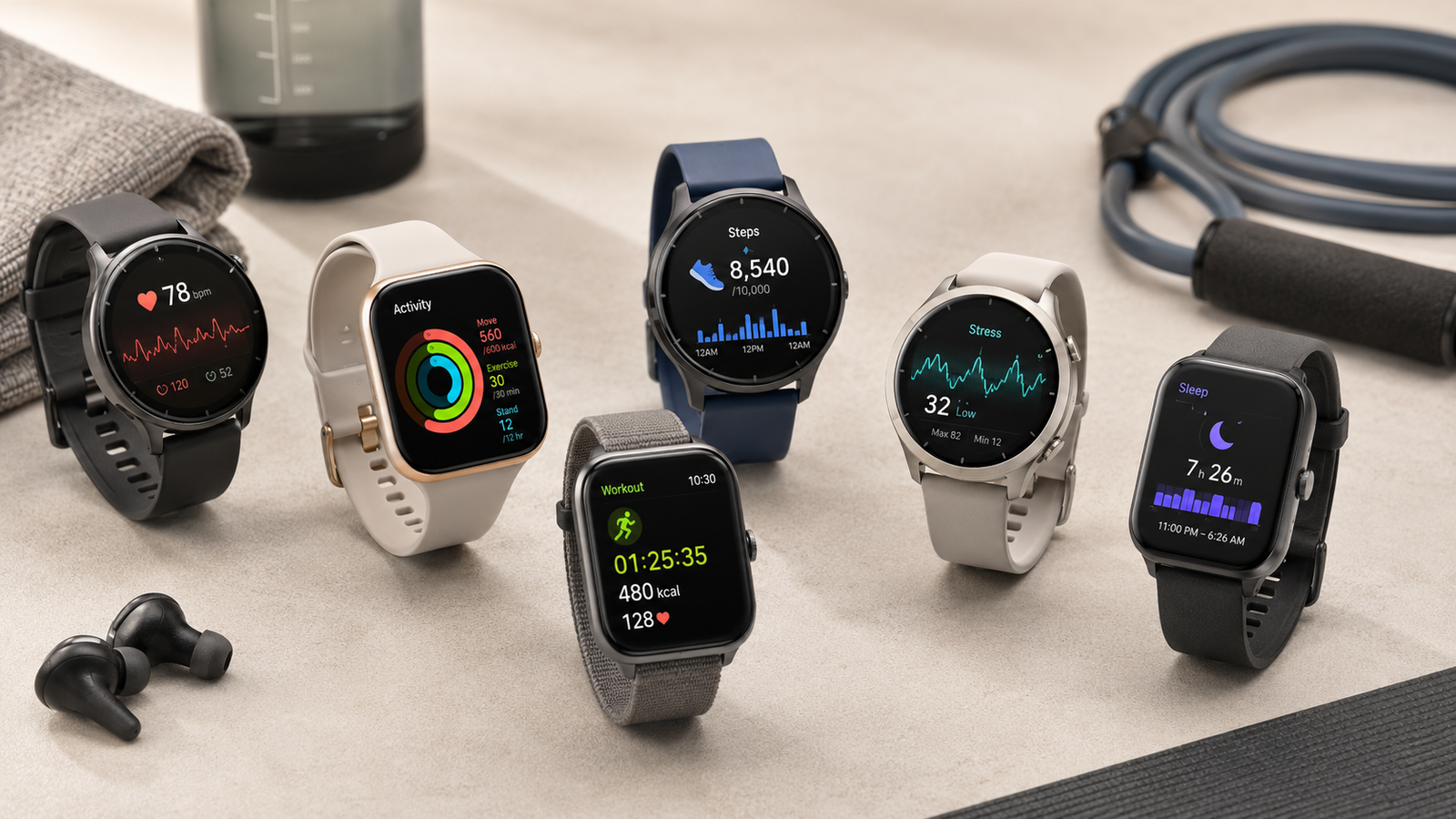
A smartwatch can do much more than show the time.
Depending on the model, it may help you track:
- workouts;
- heart rate;
- steps;
- sleep;
- recovery trends;
- GPS routes;
- notifications;
- calls;
- contactless payments;
- music;
- safety features;
- general health metrics.
But smartwatch features vary enormously.
One device may be designed primarily for:
- everyday lifestyle use;
while another focuses heavily on:
- running;
- cycling;
- training load;
- navigation;
- endurance sports.
That means the right smartwatch should not be chosen simply by asking:
“Which one has the most features?”
A better approach is:
decide what you actually want to track → check phone compatibility → prioritize comfort and battery life → evaluate fitness and health features → check GPS and sensor quality → consider apps and subscriptions → then compare smart features and design
The best smartwatch is not automatically:
- the most expensive;
- the one with the biggest display;
- the one with the highest number of health metrics;
- the one that promises the most advanced AI insights.
It is the device that provides the features you will actually use, fits comfortably enough to wear consistently and gives you data that helps rather than overwhelms you.
What Is a Smartwatch?
A smartwatch is a wearable computer worn on the wrist.
Modern models may combine:
- watch functions;
- fitness tracking;
- health monitoring;
- smartphone notifications;
- apps;
- GPS;
- communication features.
Some smartwatches are essentially extensions of your phone.
Others function more like:
- sports watches;
- endurance-training devices.
The distinction matters.
Smartwatch vs Fitness Tracker
These categories increasingly overlap, but there are still differences.
Fitness Tracker
Usually focuses on:
- steps;
- heart rate;
- sleep;
- basic workouts;
- simpler notifications.
Often offers:
- longer battery life;
- smaller size;
- lower price.
Smartwatch
Usually adds more:
- apps;
- calls;
- messages;
- music;
- payments;
- larger display;
- advanced navigation.
But some premium fitness trackers now include many smartwatch functions.
Smartwatch vs Sports Watch
A sports watch usually prioritizes:
- training metrics;
- GPS accuracy;
- endurance;
- battery life;
- physical buttons;
- outdoor navigation.
A lifestyle smartwatch may prioritize:
- display quality;
- messaging;
- apps;
- calls;
- ecosystem integration.
If your main goal is marathon training, the best device may be very different from the best device for:
- office use;
- general wellness;
- daily notifications.
Start With Your Main Goal
Before comparing models, ask:
Why do I want a smartwatch?
General Activity Tracking
Look for:
- steps;
- heart rate;
- sleep;
- basic workout tracking.
Running
Prioritize:
- GPS;
- pace;
- lap controls;
- heart-rate support;
- training metrics.
Cycling
Useful features include:
- GPS;
- heart-rate sensors;
- external sensor connectivity;
- navigation.
Gym Workouts
Look for:
- workout modes;
- interval timers;
- heart-rate tracking;
- strength-workout logging if useful.
Swimming
Prioritize:
- swim tracking;
- appropriate water resistance;
- lap counting.
Outdoor Sports
Consider:
- maps;
- barometric altimeter;
- compass;
- long battery life.
General Health Tracking
Look for relevant features such as:
- resting heart rate;
- sleep trends;
- blood oxygen where available;
- ECG where supported;
- temperature trends.
Everyday Smart Features
Prioritize:
- notifications;
- calls;
- payments;
- apps;
- music;
- voice assistant.
The best smartwatch depends on which of these categories matters most.
Phone Compatibility Comes First
A smartwatch can be excellent technically but unsuitable if it does not work properly with your phone.
Check compatibility before buying.
iPhone Compatibility
Some smartwatches work deeply with iPhones.
Others support only:
- limited notifications;
- reduced functionality.
Certain watches may require an iPhone for setup or full use.
Android Compatibility
Android support also varies.
Some watches work with most Android phones.
Others function best within a specific manufacturer’s ecosystem.
Features such as:
- ECG;
- camera controls;
- message replies;
- blood-pressure functions;
may be restricted to certain phone brands or regions.
Ecosystem Lock-In
A watch may work especially well when paired with devices from the same ecosystem.
For example, integration may extend to:
- earbuds;
- tablets;
- laptops;
- health apps.
This can be convenient.
But it can also make switching phone brands more difficult later.
Check the Exact Requirements
Before buying, verify:
- supported phone operating system;
- minimum software version;
- required apps;
- required account;
- regional restrictions.
Do not assume every feature shown in an international advertisement works in your country.
Smartwatch Size
Watch size affects:
- comfort;
- display readability;
- battery size;
- appearance.
Common case sizes may range roughly from:
- compact;
- medium;
- large.
The exact millimetre measurement varies by brand.
Small Watches
Advantages:
- lighter;
- more comfortable on smaller wrists;
- less intrusive during sleep.
Potential disadvantages:
- smaller screen;
- sometimes smaller battery.
Large Watches
Advantages:
- easier reading;
- larger controls;
- potentially larger battery.
Potential disadvantages:
- heavier;
- bulkier;
- may interfere with wrist movement.
Bigger Is Not Automatically Better
If you plan to wear the watch:
- 24 hours a day;
- during sleep;
comfort may matter more than maximum screen size.
A smaller device that stays on your wrist produces more useful data than a large watch you remove every night.
Watch Weight
Weight matters more than many buyers expect.
A heavy watch can become annoying during:
- running;
- sleep;
- long workdays.
For all-day tracking, lighter devices are often easier to forget you are wearing.
Case Thickness
A thick smartwatch may catch on:
- shirt cuffs;
- jackets;
- gym equipment.
This may not matter for sports use but can affect everyday comfort.
Wrist Fit
The watch should sit securely without:
- sliding excessively;
- cutting into skin.
For heart-rate measurement, the optical sensor generally needs consistent skin contact.
Too loose:
- sensor accuracy may suffer.
Too tight:
- discomfort;
- skin irritation.
Watch Bands Matter
The strap can significantly affect comfort.
Common materials include:
- silicone;
- fluoroelastomer;
- nylon;
- fabric;
- leather;
- metal.
Silicone or Sport Bands
Useful for:
- workouts;
- swimming;
- sweating.
Advantages:
- easy to clean;
- water resistant.
Potential downside:
- may trap sweat.
Nylon or Fabric Bands
Often more breathable.
Useful for:
- all-day wear;
- sleep.
But they may take longer to dry after:
- swimming;
- heavy sweating.
Leather Bands
Suitable for:
- office;
- formal use.
Less practical for:
- running;
- swimming;
- heavy sweat.
Metal Bands
Can provide a premium appearance.
But they may be:
- heavier;
- uncomfortable for exercise.
Many users keep:
- sport band for workouts;
- different band for everyday use.
Quick-Release Bands
A standardized or easy-release mechanism makes it easier to:
- change straps;
- replace worn bands.
Check whether the watch uses:
- proprietary;
- standard strap system.
Proprietary bands may be:
- more expensive;
- less available.
Skin Irritation
Smartwatches can trap:
- sweat;
- soap;
- moisture.
This may contribute to:
- irritation;
- rash.
Helpful habits include:
- cleaning the band;
- drying the wrist;
- loosening the watch periodically.
If irritation persists, change:
- band material;
- fit.
Display Type
Common smartwatch displays include:
- AMOLED/OLED;
- LCD;
- memory-in-pixel-style displays.
Each has different strengths.
AMOLED Displays
Advantages:
- bright colours;
- high contrast;
- attractive watch faces.
Potential disadvantages:
- higher battery consumption;
- outdoor visibility varies by model.
Always-On Display
An always-on display lets you see the time without raising your wrist.
Convenient.
But it generally reduces:
- battery life.
You can often turn it off.
Outdoor Visibility
If you run or cycle outside, the screen should remain readable in:
- bright sunlight.
Maximum brightness numbers can help, but real-world reflectivity and display technology also matter.
Touchscreen vs Buttons
Lifestyle smartwatches often rely heavily on:
- touchscreens.
Sports watches may include several:
- physical buttons.
Touchscreen Advantages
- intuitive;
- easy navigation;
- good for maps;
- attractive interface.
Touchscreen Limitations
Touchscreens can become harder to use with:
- sweaty fingers;
- rain;
- gloves.
For outdoor training, physical buttons can be extremely useful.
Physical Buttons
Buttons provide reliable control during:
- running;
- swimming;
- intervals.
If you frequently train seriously, consider whether key workout functions can be controlled without touching the screen.
Crown or Rotating Bezel
Some devices include:
- digital crown;
- rotating bezel.
These can make scrolling easier.
This is mainly an interface preference.
Battery Life
Battery life is one of the most important smartwatch features.
A watch with excellent sensors is less useful if it is frequently:
- off your wrist;
- charging.
Battery life may range from:
- about a day;
- several days;
- more than a week;
- much longer on endurance-focused watches.
What Determines Battery Life?
Major factors include:
- display;
- always-on mode;
- GPS use;
- cellular connectivity;
- blood-oxygen tracking;
- brightness;
- workout frequency;
- notifications.
Manufacturer estimates are usually based on specific settings.
Real-world battery life may differ.
One-Day Battery Watches
These can still work well if you establish a charging habit.
For example:
- charge during shower;
- charge while getting ready;
- charge at desk.
But daily charging can reduce sleep-tracking consistency if forgotten.
Multi-Day Battery Watches
Advantages:
- less charging;
- better travel convenience;
- easier sleep tracking.
This can be especially valuable if your priority is:
- health trends;
- recovery monitoring.
Sports Watches With Long Battery Life
Endurance-focused devices may last:
- many days;
- sometimes weeks in basic watch mode.
They can be better for:
- hiking;
- ultrarunning;
- travel.
The trade-off may be fewer lifestyle-smart features.
GPS Battery Life
Do not look only at ordinary smartwatch battery life.
If you use GPS frequently, check:
- continuous GPS battery rating.
A watch that lasts 10 days normally may last much less during:
- long hikes;
- races.
Charging Speed
Fast charging can partially compensate for shorter battery life.
For example, a brief charge while showering may provide enough power for:
- overnight sleep tracking.
Check real-world charging time.
Charger Type
Smartwatches may use:
- magnetic puck;
- proprietary cable;
- wireless charging.
Proprietary chargers are easy to lose.
Consider buying a spare if you:
- travel frequently.
Wireless Charging Compatibility
Some watches support standard or semi-standard wireless charging.
Others require their own dock.
Do not assume every wireless charger works.
Battery Replacement
Most smartwatches have sealed batteries.
Over several years, capacity may decline.
Check whether the manufacturer offers:
- battery service;
- replacement programs.
A premium smartwatch may still have a limited useful life if the battery cannot be serviced affordably.
Step Tracking
Step counting is one of the most basic features.
It uses motion sensors to estimate:
- steps;
- movement.
Are Step Counts Exact?
No.
They are estimates.
Watches may misclassify some:
- hand movements;
- household activity.
They may also miss some steps when the wrist is relatively stationary.
Use step count mainly for:
- personal trends.
Is 10,000 Steps Necessary?
No.
Ten thousand steps is not a universal biological requirement.
Health benefits can occur at lower levels of activity.
The most useful approach is to gradually increase movement relative to your normal baseline.
Heart-Rate Tracking
Most smartwatches use optical sensors that shine light into the skin and estimate blood-flow changes.
This allows tracking of:
- resting heart rate;
- workout heart rate;
- heart-rate trends.
Resting Heart Rate
Resting heart rate may reflect:
- fitness;
- stress;
- illness;
- sleep;
- hydration;
- medication.
Changes over time can be informative.
But one unusual reading does not automatically indicate a problem.
Workout Heart Rate
Optical wrist sensors can work reasonably well for many:
- runs;
- walks;
- steady cardio sessions.
Accuracy may be reduced during activities involving:
- rapid arm movement;
- gripping;
- strength training;
- cold weather.
Why Wrist Heart Rate Can Be Wrong
Factors include:
- poor fit;
- movement;
- tattoos;
- skin contact;
- sweat;
- temperature;
- sensor design.
If heart-rate accuracy is critical, an external chest strap may be better.
Chest Strap Compatibility
Sports watches may connect to chest straps using:
- Bluetooth;
- ANT+.
This can improve heart-rate tracking during:
- intervals;
- cycling;
- rowing.
Check compatibility.
Resting Heart-Rate Trends Are More Useful Than Single Readings
For most users, the useful question is:
Is my resting heart rate changing consistently over days or weeks?
Not:
What did it show for one minute this morning?
Wearable data is strongest when interpreted as:
- trends.
Heart-Rate Alerts
Some watches can notify you of unusually:
- high;
- low heart rate;
while inactive.
These alerts can be useful.
But they are not a diagnosis.
If you receive repeated concerning alerts, discuss them with an appropriate clinician.
Irregular Rhythm Notifications
Some devices can look for patterns that may suggest irregular heart rhythm.
Availability depends on:
- watch model;
- country;
- regulatory approvals.
These features do not continuously diagnose every heart condition.
ECG
Certain smartwatches include a single-lead electrocardiogram function.
This can record a short electrical tracing from the heart.
It may help identify certain rhythm patterns.
What ECG on a Watch Can Do
Depending on approved software, it may classify recordings such as:
- sinus rhythm;
- possible atrial fibrillation.
What It Cannot Do
A smartwatch ECG is not the same as a full clinical:
- 12-lead ECG.
It cannot rule out:
- heart attack;
- every arrhythmia;
- every cardiovascular condition.
If you have:
- chest pain;
- fainting;
- severe symptoms;
do not rely on the watch.
Blood Oxygen / SpO2
Some watches estimate blood-oxygen saturation using optical sensors.
This may be useful for:
- general trends;
- sleep-related data.
Accuracy can be affected by:
- movement;
- skin contact;
- temperature;
- sensor limitations.
SpO2 Is Not a Substitute for Medical Equipment
Consumer smartwatch readings should not automatically be used to diagnose or manage:
- respiratory disease;
- acute illness.
A medical-grade pulse oximeter may be more appropriate when clinically required.
Blood Pressure Features
Some smartwatches advertise:
- blood-pressure monitoring.
Implementation varies substantially.
Certain devices require:
- calibration with a cuff.
Availability may be region-limited.
Smartwatch Blood Pressure Is Not the Same as a Cuff
For diagnosing or managing hypertension, a validated upper-arm blood-pressure monitor is generally more appropriate.
Wearable blood-pressure features may be useful for:
- trends;
but should not replace proper clinical measurement.
Temperature Sensors
Some smartwatches measure:
- skin temperature;
- wrist temperature.
This may support:
- sleep analysis;
- menstrual-cycle insights;
- illness trends.
But wrist temperature is not the same as:
- core body temperature.
Temperature Trends
The useful information often comes from changes relative to your personal baseline.
For example:
- elevated overnight wrist temperature compared with usual.
Do not interpret a smartwatch temperature number exactly like a clinical thermometer.
Respiratory Rate
Some watches estimate breathing rate, especially during:
- sleep.
This can provide another trend.
Again, consumer wearable estimates should not be treated as medical diagnosis.
Stress Tracking
Smartwatch “stress” scores may use combinations of:
- heart rate;
- HRV;
- activity;
- breathing.
These scores are algorithms.
They do not directly measure psychological stress.
Heart-Rate Variability
HRV describes variation in time between heartbeats.
It can be influenced by:
- training;
- sleep;
- stress;
- alcohol;
- illness;
- recovery.
Is Higher HRV Always Better?
No.
HRV varies significantly between individuals.
Compare primarily against:
- your own baseline.
A lower number than someone else’s does not automatically indicate poorer health.
HRV and Recovery
Sports watches may use HRV alongside:
- sleep;
- training load;
- resting heart rate;
to estimate recovery.
These estimates can be useful.
But they should not override how you actually feel.
Recovery Scores
Some watches generate:
- readiness;
- recovery;
- body battery;
- energy scores.
These are proprietary calculations.
Useful as additional information.
Not absolute truth.
What Should You Do if the Watch Says “Poor Recovery” but You Feel Fine?
Consider the data.
But also consider:
- how you feel;
- training plan;
- sleep;
- soreness.
Do not allow one algorithm to control every workout decision.
Sleep Tracking
Most modern smartwatches estimate:
- sleep duration;
- sleep timing;
- sleep stages;
- awakenings.
Sleep Duration
This is often one of the more useful metrics.
A watch can help identify:
- inconsistent bedtime;
- short sleep periods.
Sleep Stages
Devices may estimate:
- light;
- deep;
- REM sleep.
These estimates are not equivalent to a clinical sleep study.
Wearables generally cannot measure sleep stages with the same precision as:
- polysomnography.
Use Sleep Stages as Trends, Not Exact Measurements
It is better to ask:
Has my sleep pattern changed over several weeks?
than to worry because one night showed:
- 37 minutes of deep sleep.
Sleep Scores
Many watches combine multiple metrics into a single score.
This can simplify trends.
But the exact scoring algorithm is proprietary.
Do not obsess over achieving:
- 100;
- perfect sleep score.
Orthosomnia
Some people become anxious about sleep because of wearable data.
This can lead to excessive focus on:
- sleep scores;
- sleep stages.
If tracking makes you more anxious and sleep worse, consider:
- reducing how often you review the data.
A smartwatch should support sleep habits—not become another source of stress.
Snoring Detection
Some devices use:
- phone microphone;
- watch sensors;
to detect snoring.
This may provide useful information.
But it cannot diagnose:
- sleep apnea.
If you have symptoms such as:
- loud snoring;
- witnessed breathing pauses;
- excessive daytime sleepiness;
seek medical evaluation.
Sleep Apnea Features
Some newer devices may offer screening-style sleep-breathing features.
Availability depends on:
- regulatory approval;
- region.
Screening is not the same as a formal diagnostic sleep study.
Fitness Tracking
A good smartwatch may track dozens or even hundreds of workout types.
But the number of modes is less important than:
- accuracy;
- useful metrics;
- ease of use.
Running Tracking
Useful metrics include:
- distance;
- pace;
- heart rate;
- cadence;
- elevation;
- laps.
More advanced devices may add:
- running power;
- vertical oscillation;
- ground-contact time;
- training effect.
Do You Need Advanced Running Dynamics?
Most recreational runners do not.
Basic:
- pace;
- distance;
- heart rate;
are enough to guide training.
Advanced metrics are useful mainly for people who enjoy detailed performance analysis.
GPS
GPS is one of the most important features for outdoor sports.
It allows the watch to estimate:
- route;
- speed;
- pace;
- distance.
Built-In GPS vs Connected GPS
Built-In GPS
The watch tracks location independently.
Better for:
- running;
- cycling;
- hiking without phone.
Connected GPS
Uses your phone’s GPS.
Can work for casual users who always carry their phone.
For serious outdoor tracking, built-in GPS is preferable.
Multi-Band GPS
Some advanced watches use multiple satellite frequencies.
This can improve location accuracy in difficult environments such as:
- cities with tall buildings;
- forests;
- mountains.
Do You Need Multi-Band GPS?
Not necessarily.
For ordinary runs in open areas, standard modern GPS may be more than adequate.
Multi-band becomes more valuable if you:
- train in dense cities;
- hike in difficult terrain;
- care deeply about route precision.
GPS Accuracy Is Not Perfect
Even good watches can show:
- small route deviations;
- pace fluctuations.
Buildings, trees and weather conditions can affect signal.
Use GPS as a strong estimate, not an infallible measurement.
GPS Lock Time
Some watches acquire satellites faster than others.
Waiting for GPS lock before starting can improve:
- route;
- distance accuracy.
Starting immediately may result in inaccurate early data.
Auto-Pause
A watch can automatically stop tracking when you:
- stop at traffic lights;
- pause during a run.
Convenient.
But it can sometimes trigger incorrectly.
Serious runners may prefer:
- manual lap;
- manual pause controls.
Pace Accuracy
Instant pace can fluctuate because GPS calculations are noisy.
Average pace over:
- kilometre;
- lap;
is often more useful than second-by-second pace.
Running Power
Some watches estimate running power in:
- watts.
This can help pace effort, especially on hills.
But algorithms differ between brands.
Do not directly compare numbers across different ecosystems without understanding how they are calculated.
Cadence
Running cadence refers to:
- steps per minute.
It can be useful to track.
But there is no universal perfect cadence.
The commonly repeated idea that everyone should run at:
- 180 steps per minute;
is oversimplified.
VO2 Max Estimates
Many watches estimate:
- VO2 max;
- cardiorespiratory fitness.
This can be useful for tracking trends.
But it is an estimate based on data such as:
- heart rate;
- pace;
- age.
A laboratory test is more precise.
Fitness Age
Some devices calculate a “fitness age.”
This is a motivational metric.
It is not a clinical measurement of:
- biological age.
Use it as a trend rather than a diagnosis.
Training Load
Sports watches may estimate how much training stress you have accumulated.
Useful for:
- runners;
- cyclists;
- endurance athletes.
It can help identify:
- unusually high training weeks.
Training Load Limitations
The watch cannot perfectly know:
- muscle soreness;
- psychological stress;
- nutritional status;
- injury.
Use the metric as one input.
Training Readiness
Readiness scores may incorporate:
- sleep;
- HRV;
- recovery time;
- recent workouts.
These can be helpful when planning intensity.
But they should not become rigid commands.
Recovery Time
Some devices recommend waiting a certain number of hours before the next hard workout.
This can be useful.
But it does not mean you must avoid:
- walking;
- easy activity.
Recovery recommendations usually relate more to:
- hard training.
Workout Detection
Many watches automatically detect activities such as:
- walking;
- running.
This can be convenient.
But automatic detection may start late or miss short sessions.
If accurate workout data matters, manually start the activity.
Strength-Training Tracking
Some watches attempt to detect:
- exercises;
- repetitions;
- sets.
Accuracy can vary considerably.
Rep Counting
Automatic rep counting works better for some movements than others.
It may struggle with:
- complex exercises;
- dumbbell variations;
- static holds.
If strength training is your priority, do not choose a watch solely for automatic rep counting.
Strength Workout Logging
A watch can still be useful for:
- rest timers;
- heart rate;
- workout duration.
You may prefer to track sets and loads in a dedicated:
- training app;
- notebook.
HIIT Tracking
Look for:
- programmable intervals;
- easy lap button;
- visible timers.
These are often more useful than generic “HIIT mode.”
Indoor Cardio
Smartwatches may track:
- treadmill;
- exercise bike;
- rowing machine;
- elliptical;
- stepper.
Treadmill Distance
Without GPS, the watch estimates distance using:
- wrist motion;
- stride calibration.
This can differ from treadmill display.
Some watches allow:
- calibration after the workout.
Indoor Cycling
A watch cannot know true distance on a stationary bike unless it receives data from:
- bike;
- sensor.
Otherwise it may track only:
- time;
- heart rate.
Cycling Sensor Support
More advanced watches may connect to:
- cadence sensors;
- speed sensors;
- power meters.
This is valuable for serious cyclists.
Rowing Tracking
Watches may estimate:
- strokes;
- stroke rate.
Wrist movement can make this reasonably useful.
But the rowing machine’s own monitor may provide more precise performance metrics.
Swimming
For pool swimming, useful smartwatch features include:
- lap counting;
- stroke detection;
- pace;
- distance.
Pool Length
You usually need to enter the pool length:
- 25 m;
- 50 m;
- other.
Incorrect pool length creates incorrect distance.
Open-Water Swimming
Requires:
- GPS;
- appropriate water resistance.
GPS accuracy is harder in open water because the wrist repeatedly goes:
- underwater.
Performance varies between devices.
Water Resistance Ratings
Do not assume:
water resistant = suitable for swimming
Check the exact rating and manufacturer guidance.
ATM Ratings
You may see ratings such as:
- 5 ATM;
- 10 ATM.
These indicate pressure resistance under test conditions.
They do not directly translate to a safe diving depth in normal use.
Follow the manufacturer’s approved activities.
IP Ratings
Some watches also use:
- IP ratings;
for dust and water resistance.
These ratings describe laboratory conditions.
They do not automatically mean the watch is appropriate for:
- swimming;
- diving.
Showering With a Smartwatch
Even if the watch is water resistant, soap and hot water may affect:
- seals;
- materials.
Check manufacturer guidance.
It may be better to remove the watch during showering and use that time to:
- charge it.
Diving
Only use a smartwatch for diving if it is specifically designed and approved for that purpose.
A normal 5 ATM watch is not a substitute for a proper dive computer.
Hiking
Useful hiking features include:
- long GPS battery life;
- maps;
- compass;
- altimeter;
- route navigation.
Barometric Altimeter
A barometric sensor can improve elevation tracking.
Useful for:
- hiking;
- trail running;
- climbing.
But atmospheric pressure changes can affect readings.
Calibration may be needed.
Compass
Useful for navigation.
Some watches allow:
- bearing;
- waypoint;
- route guidance.
For serious backcountry travel, carry appropriate backup navigation.
Do not rely solely on one battery-powered watch.
Maps
Some sports watches offer:
- full offline maps;
- breadcrumb routes;
- turn-by-turn navigation.
Breadcrumb Navigation
Shows a line or route rather than a detailed map.
This may be sufficient for:
- known trails;
- simple routes.
Full Maps
More useful in:
- unfamiliar areas;
- complex trail networks.
But they may consume more:
- storage;
- battery.
Route Import
Some watches allow routes from apps or files to be transferred.
Useful for:
- cycling;
- hiking;
- running.
Back-to-Start
A simple navigation feature that helps guide you back toward:
- starting point.
Useful if you explore unfamiliar areas.
Safety Features
Smartwatches may include:
- fall detection;
- crash detection;
- emergency SOS;
- location sharing.
These can be valuable.
Fall Detection
The watch attempts to detect a hard fall and may offer to contact:
- emergency services;
- emergency contacts.
False positives and missed events can occur.
Do not rely on it as a guaranteed safety system.
Crash Detection
Some devices attempt to detect severe vehicle collisions.
Again, this is a supplementary safety feature.
It cannot guarantee:
- detection;
- successful communication.
Emergency SOS
May allow quick contact with:
- emergency services;
- selected contacts.
Setup requirements vary.
Some functions require:
- paired phone;
- cellular watch;
- network connection.
Live Location Sharing
Useful for:
- runners;
- cyclists;
- hikers.
Check whether it requires:
- phone;
- data connection.
Cellular / LTE Smartwatches
Some watches can connect directly to a cellular network.
This may allow:
- calls;
- messages;
- streaming;
without your phone nearby.
Do You Need Cellular?
Consider it if you frequently want to:
- run without phone;
- receive urgent calls;
- stream music independently.
If your phone is almost always nearby, cellular may be unnecessary.
Cellular Costs
LTE watches may require:
- additional carrier plan;
- monthly fee.
Check whether your mobile operator supports:
- your exact watch;
- number sharing.
Cellular Battery Life
Cellular use generally consumes more battery.
Do not assume normal battery estimates apply when using LTE continuously.
Calling From the Watch
Useful for:
- short conversations;
- emergencies.
For long calls, a phone or earbuds are usually more comfortable.
Microphone and Speaker Quality
Varies considerably.
If calls matter, check reviews for:
- microphone clarity;
- speaker volume.
Notifications
Most smartwatches can display:
- calls;
- messages;
- app alerts.
This can reduce how often you check your phone.
It can also create constant distraction.
Notification Management
Turn off unnecessary notifications.
Your wrist does not need to vibrate for every:
- social-media alert;
- promotional email.
A smartwatch should simplify attention, not fragment it.
Replying to Messages
Some watches allow:
- quick replies;
- voice dictation;
- keyboard typing.
Capabilities vary by:
- watch;
- phone platform.
Voice Assistants
Smartwatches may support:
- voice commands;
- reminders;
- timers;
- messaging.
Useful for hands-free tasks.
Accuracy depends on:
- platform;
- language;
- internet connection.
Contactless Payments
Some watches support:
- NFC payments.
This can be convenient when exercising without a wallet.
Regional Payment Support
A watch may technically contain NFC but still not support your:
- bank;
- card;
- country.
Check payment compatibility before purchasing.
Music
Some watches can:
- control phone music;
- store music offline;
- stream music.
Offline Music
Useful for phone-free workouts.
You may be able to pair:
- Bluetooth earbuds;
directly with the watch.
Streaming Music
May require:
- Wi-Fi;
- cellular;
- subscription.
This can consume battery quickly.
Podcast and Audiobook Support
Some platforms allow:
- offline podcasts;
- audio.
Useful for long:
- runs;
- walks.
Check app compatibility.
Storage Capacity
Internal storage may be used for:
- apps;
- music;
- maps.
If you want extensive offline music or maps, storage matters more.
Apps
Lifestyle smartwatches may support third-party apps for:
- productivity;
- navigation;
- workouts;
- weather;
- transport.
Sports watches may have smaller app ecosystems but stronger built-in fitness features.
Do You Need a Large App Store?
Only if you plan to use it.
Many users rely almost entirely on:
- built-in watch features.
A large app ecosystem is not automatically valuable.
Health App Ecosystem
Your watch data may sync to a central app.
Evaluate:
- clarity;
- trend graphs;
- export options;
- integration.
The companion app is as important as the hardware.
Data Export
Serious users may want to export:
- workouts;
- health data.
Check whether the platform supports:
- CSV;
- GPX;
- FIT;
- API integrations;
depending on use.
Strava and Fitness-App Integration
If you already use a training platform, verify synchronization.
A great watch becomes frustrating if every workout needs:
- manual transfer.
Subscription Services
Some manufacturers lock advanced features behind paid subscriptions.
These may include:
- readiness scores;
- detailed sleep analysis;
- coaching;
- advanced health insights.
Calculate Long-Term Cost
If a subscription is:
- ₹X per month;
consider the total over:
- 1 year;
- 3 years.
A cheaper watch with a mandatory subscription may eventually cost more than a premium device with free analytics.
Which Features Remain Without Subscription?
Check before buying.
You should know whether basic access includes:
- heart rate;
- workouts;
- sleep;
- GPS history.
Privacy
A smartwatch can collect highly personal information such as:
- location;
- heart rate;
- sleep;
- exercise;
- menstrual-cycle data.
Review:
- privacy settings;
- cloud syncing;
- account security.
Location Privacy
Workout routes can reveal:
- home;
- workplace;
- regular habits.
If you share workouts publicly, use privacy controls such as:
- hidden start/end zones;
- private profiles.
Health Data Privacy
Understand where data is stored and whether it is:
- encrypted;
- shared with third parties;
- used for advertising.
Privacy policies can change, so review the current settings periodically.
Account Security
Use:
- strong password;
- two-factor authentication where available.
A smartwatch account may contain significant personal data.
Menstrual-Cycle Tracking
Some watches allow users to track:
- cycle dates;
- symptoms;
- temperature trends.
These can help identify personal patterns.
Ovulation Estimates
Wearables may estimate fertile windows using:
- historical cycle data;
- temperature;
- algorithms.
These should not automatically be relied on as contraception.
If pregnancy planning or contraception decisions are important, use medically appropriate methods and guidance.
Pregnancy Tracking
Some platforms allow:
- pregnancy mode;
- adjusted health insights.
This can improve relevance of:
- cycle;
- activity tracking.
But smartwatch health information is not a replacement for prenatal care.
Skin Temperature and Cycle Insights
Overnight temperature trends may improve cycle predictions.
But many factors can affect temperature:
- illness;
- alcohol;
- sleep environment.
Treat it as supporting information.
Calories Burned
Smartwatches estimate calorie expenditure using:
- heart rate;
- movement;
- body data;
- activity type.
These numbers are not exact.
Active vs Total Calories
Some devices distinguish:
Active Calories
Estimated energy above resting needs.
Total Calories
Resting metabolism + activity.
Understand which number you are viewing.
Do Not “Eat Back” Every Watch Calorie Automatically
Wearable calorie estimates can be significantly wrong for individuals.
If weight management is your goal, do not assume:
watch says 700 calories → I can definitely eat 700 extra calories
Use body-weight and dietary trends instead.
Steps, Calories and Exercise Rings
Some watches use daily goals such as:
- move;
- exercise;
- stand.
These can be motivating.
But goals should fit:
- your life;
- recovery;
- health.
Do not exercise unnecessarily at midnight simply to complete a digital ring.
Standing Reminders
These encourage periodic movement.
Useful for people with desk-based routines.
But standing briefly does not replace:
- regular exercise;
- walking.
Sedentary Alerts
Helpful if you tend to sit for long periods.
Use them as reminders to:
- move;
- stretch;
- walk briefly.
Guided Breathing
Some watches offer short breathing exercises.
These may help with:
- relaxation;
- focus.
They are optional wellness tools.
Meditation Apps
Some devices integrate:
- mindfulness;
- meditation.
Useful if you enjoy guided sessions.
Not essential for choosing a smartwatch.
Sleep Alarm / Smart Alarm
Some devices attempt to wake you during a lighter sleep phase.
Evidence and accuracy vary.
A consistent wake time is generally more important than relying on a perfect sleep-stage alarm.
Haptic Alarm
A vibration alarm can wake you without:
- loud sound.
Useful if you share a room.
Alarm Strength
Some watches vibrate more strongly than others.
If silent alarms matter, this is worth checking.
Smartwatch Durability
Durability matters if you wear the device during:
- gym;
- outdoor sports;
- manual work.
Consider:
- case material;
- screen protection;
- water resistance.
Screen Materials
Common options include:
- strengthened glass;
- sapphire crystal.
Sapphire Crystal
Advantages:
- highly scratch resistant.
Potential downside:
- higher price;
- can still break under impact.
Strengthened Glass
Can offer good impact performance.
May scratch more easily than sapphire.
Screen Protectors
Optional.
Useful if you frequently:
- lift weights;
- work around hard surfaces.
But cheap protectors may reduce:
- touch sensitivity;
- display clarity.
Case Materials
May include:
- aluminium;
- stainless steel;
- titanium;
- polymer.
Aluminium
- light;
- relatively affordable.
Stainless Steel
- premium;
- durable;
- heavier.
Titanium
- strong;
- lighter than steel;
- expensive.
Polymer
Common in sports watches.
Advantages:
- light;
- durable.
Premium appearance is less important than comfort for many athletes.
Rugged Smartwatches
May provide:
- stronger case;
- raised bezel;
- longer battery life;
- enhanced water resistance.
Useful for:
- hiking;
- outdoor work;
- endurance sports.
They can be bulky for everyday wear.
Screen Bezels
Raised bezels can protect the screen from direct impact.
Flat edge-to-edge glass looks elegant but may be more exposed.
Watch Buttons in the Gym
Physical buttons can be accidentally pressed during:
- wrist flexion;
- push-ups;
- weightlifting.
Some watches allow button locks during workouts.
Wrist Placement During Strength Training
A large watch may interfere with:
- wrist wraps;
- kettlebells;
- barbell front rack.
Some lifters move the watch slightly higher up the forearm.
Kettlebells and Smartwatches
Kettlebells can strike the wrist during:
- cleans;
- snatches.
A smartwatch may be uncomfortable or vulnerable.
You may need to:
- remove it;
- reposition it.
Weightlifting Gloves and Watches
Long wrist straps may overlap the watch.
Consider:
- watch placement;
- accessory compatibility.
Touchscreen During Sweaty Workouts
Sweat can make touchscreen control inconsistent.
Physical buttons are valuable if you frequently:
- pause;
- lap;
- change screens.
Always-On Screen During Running
Useful because you can glance at:
- pace;
- heart rate;
without a wrist gesture.
But it consumes more battery.
Screen Data Fields
Sports watches may let you customize:
- pace;
- distance;
- heart rate;
- lap time.
This can make workouts much easier to manage.
Too Many Metrics Can Be Distracting
You do not need to display:
- eight numbers;
during every run.
Choose only what helps you train.
For a recreational runner, this may be:
- pace;
- distance;
- heart rate.
Navigation During Workouts
The best watches make it easy to switch screens without interrupting:
- movement.
Test interface simplicity where possible.
Smartwatch for Beginners
A beginner usually does not need:
- advanced training load;
- multi-band GPS;
- full maps;
- running dynamics.
Prioritize:
- comfort;
- heart rate;
- steps;
- sleep;
- basic workouts;
- battery life.
Smartwatch for Runners
Prioritize:
- reliable GPS;
- clear pace display;
- lap controls;
- heart-rate support;
- good battery life.
More serious runners may value:
- training load;
- route navigation;
- external sensors.
Smartwatch for Gym Users
Prioritize:
- comfortable design;
- interval timers;
- heart rate;
- workout duration.
Strength-exercise detection is a bonus, not essential.
Smartwatch for Cyclists
Look for:
- strong GPS;
- navigation;
- external sensor support;
- long battery life.
Serious cyclists may still prefer a dedicated:
- bike computer;
for large-screen navigation.
Smartwatch for Swimmers
Prioritize:
- proper water rating;
- pool tracking;
- lap detection;
- physical controls.
Touchscreens can be difficult underwater.
Smartwatch for Hikers
Useful features:
- offline maps;
- altimeter;
- compass;
- long battery;
- rugged construction.
Smartwatch for Everyday Health Tracking
Prioritize:
- comfort;
- sleep tracking;
- resting heart rate;
- HRV trends;
- battery life.
If you have to charge every night, overnight health tracking becomes more difficult.
Smartwatch for Older Adults
Potentially useful features include:
- large readable screen;
- simple interface;
- fall detection;
- emergency SOS;
- heart-rate alerts.
But ease of use matters more than feature quantity.
A complicated watch is less useful if the wearer cannot comfortably operate it.
Smartwatch for Children
Some watches are designed specifically for:
- children;
- location;
- communication.
These should be evaluated based on:
- privacy;
- parental controls;
- battery;
- cellular cost.
Adult fitness watches are not always ideal for children.
Smartwatch for Small Wrists
Prioritize:
- smaller case;
- shorter band;
- lighter weight.
A large sensor body can lift away from the wrist and reduce:
- comfort;
- heart-rate contact.
Smartwatch for Large Wrists
Check:
- included band length;
- optional extended straps.
Case size is mostly personal preference.
Smartwatch for Sleep Tracking
The best sleep tracker is the one you will comfortably wear overnight.
Prioritize:
- low weight;
- comfortable strap;
- long battery;
- easy charging.
Smartwatch for Long-Distance Events
For:
- marathon;
- triathlon;
- ultramarathon;
- long hiking;
GPS battery life becomes critical.
Make sure the watch can last through the entire event with your desired:
- GPS mode;
- navigation;
- sensors.
Battery-Saving GPS Modes
Some sports watches offer lower-power GPS modes.
These can extend battery life substantially.
The trade-off may be:
- lower route precision.
Solar Charging
Some outdoor watches use solar assistance.
This may extend battery life under:
- strong light.
It does not normally mean the watch never needs charging.
Actual benefit depends on:
- exposure;
- usage.
Smartwatch for Triathlon
Look for:
- multisport mode;
- open-water swimming;
- cycling;
- running;
- fast transition controls.
Advanced triathlon watches can switch automatically between sports.
Smartwatch for Strength + Cardio
A balanced smartwatch should provide:
- good heart-rate tracking;
- gym modes;
- running/cycling support;
- decent battery.
You generally do not need an ultra-specialized endurance watch unless outdoor training is a major priority.
Health Sensors Are Not Equal Across Brands
Two watches may both list:
- heart rate;
- SpO2;
- sleep.
That does not mean they provide equally useful data.
Sensor quality depends on:
- hardware;
- algorithms;
- software validation.
More Sensors Do Not Automatically Mean Better Health Tracking
A product page may list:
- 10 sensors;
- 100 metrics.
But a smaller number of reliable metrics can be more useful.
Avoid Feature-Count Shopping
Do not buy because one watch offers:
- 150 sports modes;
instead of:
You are unlikely to use most of them.
Focus on the modes and metrics relevant to you.
“AI Health Insights”
Many devices increasingly use AI or algorithmic summaries.
These can help interpret trends.
But they may also produce:
- oversimplified recommendations.
Treat them as guidance rather than medical diagnosis.
Smartwatch Data and Medical Decisions
Consumer wearables can provide useful information.
But they should not independently be used to diagnose or treat:
- arrhythmia;
- hypertension;
- sleep apnea;
- respiratory disease;
- other medical conditions.
Discuss concerning trends with an appropriate healthcare professional.
False Positives
A smartwatch may occasionally report:
- abnormal rhythm;
- low oxygen;
- unusual heart rate;
when nothing serious is wrong.
This can happen because of:
- sensor error;
- movement;
- poor contact.
Repeated or symptomatic abnormalities deserve proper evaluation.
False Reassurance
The opposite problem also exists.
A normal watch reading does not guarantee that everything is medically normal.
If you have significant symptoms, seek care even if the smartwatch says:
- normal.
Firmware Updates
Smartwatches depend heavily on software.
Updates may:
- add features;
- improve sensors;
- change battery performance;
- modify interface.
Choose a manufacturer with a reasonable track record of:
- software support.
Software Support Lifespan
A watch may physically last several years.
But support may end.
Consider:
- update policy;
- app compatibility.
This matters especially for expensive devices.
Older Smartwatches
Previous-generation models can provide excellent value.
They may still offer:
- GPS;
- heart rate;
- sleep;
- smart features.
The newest version is not always necessary.
When the Newest Model Makes Sense
Consider it if the update meaningfully improves:
- battery;
- sensor accuracy;
- safety;
- durability;
- compatibility.
Do not upgrade merely because:
- one new health score;
- slightly larger screen;
was added.
Refurbished Smartwatches
Can offer good value.
Check:
- battery health;
- warranty;
- water resistance;
- seller reputation.
Water resistance may be less predictable after:
- repairs;
- case opening.
Used Smartwatches
Inspect:
- battery life;
- screen;
- buttons;
- charging;
- account lock.
Make sure the previous owner has removed:
- activation lock;
- device pairing.
Battery Health in Used Watches
A heavily used smartwatch may still look perfect while having significantly reduced:
- battery capacity.
Ask about:
- age;
- typical runtime.
Water Resistance in Used Watches
Seals can degrade with:
- age;
- impact;
- repairs.
Do not assume the original rating is unchanged indefinitely.
Warranty
Check:
- device warranty;
- accidental-damage options.
Smartwatches are exposed to:
- sweat;
- water;
- impacts.
Extended Warranty
May make sense for an expensive watch.
But compare the cost against:
- repair;
- replacement value.
Screen Repair
Smartwatch screen replacement can be expensive.
For certain models, repair approaches the price of a replacement device.
Smartwatch Price Categories
Prices vary substantially.
Budget Smartwatches
Often provide:
- steps;
- heart rate;
- basic workouts;
- notifications.
Potential compromises:
- GPS;
- app quality;
- sensor accuracy;
- software support.
Mid-Range Smartwatches
Often offer the best balance for most users.
You may get:
- built-in GPS;
- better displays;
- more reliable sensors;
- improved app ecosystem.
Premium Smartwatches
May add:
- cellular;
- ECG;
- advanced GPS;
- premium materials;
- maps;
- stronger processors.
These features can be worthwhile for users who genuinely need them.
Premium Sports Watches
Often prioritize:
- battery;
- maps;
- training analytics;
- ruggedness.
They may not provide the same level of:
- apps;
- messaging;
as lifestyle smartwatches.
What Are You Paying For?
Before moving up a price tier, identify the feature.
For example:
- better GPS;
- ECG;
- LTE;
- longer battery;
- sapphire glass;
- full maps.
If you cannot identify a meaningful advantage, the cheaper model may be better value.
Smartwatch Value Over Time
Consider total ownership cost:
watch + bands + subscriptions + cellular plan + replacement charger
A device with a low purchase price can become expensive over several years.
Accuracy vs Consistency
No consumer smartwatch is perfectly accurate.
The practical goal is:
- reasonably accurate;
- consistent enough to identify trends.
A consistent device can still help you understand:
- activity;
- sleep;
- resting heart rate.
Do Not Compare Numbers Across Different Watches Too Literally
If you switch brands, you may notice changes in:
- sleep stages;
- calorie estimates;
- readiness scores.
This does not necessarily mean your body suddenly changed.
Algorithms differ.
Use a new device for several weeks to establish a fresh baseline.
Smartwatch for Motivation
Wearables can motivate through:
- goals;
- streaks;
- badges;
- reminders.
This works well for some people.
Others may feel pressured.
Avoid Streak Obsession
Missing a workout because you are:
- sick;
- injured;
- exhausted;
is sometimes the correct decision.
Do not exercise merely to preserve a digital streak.
Data Overload
A smartwatch can provide dozens of metrics every morning.
You do not need to review all of them.
For general wellness, useful metrics may be:
- daily movement;
- sleep duration;
- resting heart-rate trend;
- workouts.
Everything else can be secondary.
Choose Three Core Metrics
For example:
General Health
- steps;
- sleep duration;
- resting heart rate.
Running
- weekly distance;
- pace;
- heart rate.
Recovery
- sleep duration;
- HRV trend;
- resting heart rate.
This keeps the device useful rather than overwhelming.
Smartwatch Cleaning
Clean the watch and strap regularly.
Sweat can accumulate around:
- sensor;
- band;
- case.
After Workouts
Wipe:
- watch;
- strap;
- wrist.
Allow the skin to dry.
Silicone Bands
Usually easy to rinse.
Dry them before putting the watch back on.
Fabric Bands
May need:
- hand washing;
- longer drying time.
Having a spare band can be useful.
Sensor Cleaning
The rear optical sensor should remain:
- clean;
- free of lotion;
- sweat residue.
Use manufacturer-approved cleaning methods.
Avoid Harsh Chemicals
Strong cleaners may damage:
- coatings;
- seals;
- bands.
Follow official care instructions.
Charging Contacts
Some watches use exposed charging contacts.
Keep them clean and dry.
Sweat residue can interfere with:
- charging.
Smartwatch in Saunas
Heat limits vary.
Water resistance does not mean the device is safe for:
- sauna;
- steam room.
High temperature can damage:
- battery;
- seals.
Check manufacturer specifications.
Smartwatch in Salt Water
If the device is approved for swimming, rinse it with:
- fresh water;
after exposure to salt water according to manufacturer guidance.
Salt can affect:
- materials;
- buttons.
Smartwatch Under Sunscreen
Sunscreen can accumulate on:
- bands;
- sensor.
Clean after outdoor activity.
Some chemical products may affect certain materials.
Wearable Data During Illness
You may notice changes such as:
- higher resting heart rate;
- lower HRV;
- altered sleep.
These trends can indicate your body is under stress.
But they cannot identify the exact cause.
Alcohol and Wearable Metrics
Alcohol can affect:
- sleep;
- resting heart rate;
- HRV.
Wearable trends may make this visible.
This can be useful for understanding personal patterns.
Training While Sick
Do not use a readiness score as the only decision factor.
If you have significant symptoms such as:
- fever;
- chest symptoms;
- severe weakness;
appropriate rest and medical advice matter more than the watch.
Smartwatch Buying Checklist
Before purchasing, ask:
1. What is my main reason for buying it?
Fitness, health, running, smart features or a combination?
2. Is it fully compatible with my phone?
Check exact requirements.
3. Is the size comfortable on my wrist?
Especially for sleep tracking.
4. Can I tolerate the weight all day?
Comfort matters.
5. How often will I realistically charge it?
Battery life should fit your routine.
6. Does it have built-in GPS if I need outdoor tracking?
Connected GPS may be enough for casual users.
7. Is GPS accuracy important enough for multi-band support?
Not everyone needs it.
8. Which health sensors will I genuinely use?
Do not buy based on sensor count.
9. Are those features available in my country?
ECG, blood pressure and cellular features may be restricted.
10. Does it support the workouts I actually do?
Running, swimming, cycling, gym or hiking?
11. Do I need external sensor support?
Important for serious endurance athletes.
12. Is sleep tracking important?
Then battery life and comfort become critical.
13. Do I want calls and messaging?
Lifestyle smartwatches may be better.
14. Do I need cellular connectivity?
Include the carrier cost.
15. Does the watch require a paid subscription for important insights?
Check long-term cost.
16. Is the companion app easy to understand?
Hardware and software both matter.
17. Does it integrate with my existing fitness apps?
Avoid manual data transfer.
18. Is the water resistance appropriate for my activities?
Do not interpret ratings loosely.
19. Is the watch durable enough for how I train?
Consider screen and case.
20. Will I actually wear it consistently?
Possibly the most important question.
A Simple Choice by User Type
General Wellness User
Prioritize:
- comfort;
- steps;
- sleep;
- heart rate;
- several days of battery.
Casual Gym User
Prioritize:
- workout tracking;
- heart rate;
- timers;
- comfortable design.
Runner
Prioritize:
- GPS;
- pace;
- laps;
- battery;
- heart-rate sensor support.
Serious Endurance Athlete
Prioritize:
- long GPS battery;
- maps;
- training load;
- external sensors;
- multisport features.
Everyday Smartwatch User
Prioritize:
- calls;
- messages;
- payments;
- apps;
- ecosystem integration.
Health-Tracking-Focused User
Prioritize:
- reliable resting heart-rate trends;
- sleep;
- HRV;
- clinically supported features where relevant.
A Simple Choice by Battery Life
Comfortable With Daily Charging
Lifestyle smartwatch can work well.
Want Sleep Tracking Without Charging Anxiety
Choose:
- multi-day battery.
Travel or Endurance Sports
Prioritize:
- long battery;
- low-power GPS modes.
A Simple Choice by Fitness Level
Beginner
You need:
- steps;
- heart rate;
- basic workouts;
- sleep.
Intermediate
Consider:
- GPS;
- interval workouts;
- HRV;
- recovery trends.
Advanced Athlete
Consider:
- training load;
- maps;
- external sensors;
- power;
- detailed sport metrics.
Buy complexity only when you can use it.
A Simple Choice by Smart Features
Want Maximum Phone Integration
Choose a lifestyle smartwatch within your phone ecosystem.
Want Fitness First
Choose a sports-focused watch.
Want Minimal Distraction
Choose a simpler fitness watch with limited apps and notifications.
A Simple Choice by Health Features
Basic Wellness
- resting heart rate;
- sleep;
- activity.
Additional Trends
- HRV;
- SpO2;
- skin temperature.
Specific Regulated Features
- ECG;
- irregular-rhythm notifications;
where available and appropriate.
Do not purchase solely because a device claims to measure every possible health metric.
Common Smartwatch Buying Mistakes
Buying the Watch With the Most Features
Most will go unused.
Ignoring Phone Compatibility
Critical mistake.
Buying a Watch Too Large for Comfortable Sleep
Reduces tracking consistency.
Choosing Screen Quality Over Battery
Depends on your priorities.
Assuming All GPS Is Equally Accurate
It is not.
Buying Multi-Band GPS When You Never Exercise Outdoors
Unnecessary.
Assuming Heart-Rate Data Is Medical Grade
It may not be.
Treating Sleep Stages as Exact
They are estimates.
Ignoring Subscription Costs
Can add significantly over time.
Buying Cellular Without Checking Carrier Support
The feature may not work.
Assuming Water Resistance Means Diving Safe
It does not.
Choosing Based on 100+ Sports Modes
Most users need only a few.
Common Smartwatch Use Mistakes
Wearing It Too Loose During Exercise
Can reduce sensor quality.
Wearing It Too Tight All Day
Can irritate skin.
Never Cleaning the Band
Sweat accumulates.
Obsessing Over Daily Health Scores
Trends matter more.
Trusting Calorie Estimates as Exact
They are estimates.
Allowing Notifications From Every App
Creates distraction.
Ignoring Symptoms Because the Watch Looks Normal
Wearables cannot rule out medical problems.
Panicking Over One Abnormal Reading
Repeat measurement and assess context.
Comparing Recovery Scores With Friends
Personal baselines are more meaningful.
Allowing the Watch to Decide Every Workout
Use your own judgement too.
How to Choose a Smartwatch Step by Step
Step 1 — Define the Primary Use
Fitness, health, running, lifestyle or outdoor sports?
Step 2 — Confirm Phone Compatibility
Do this before everything else.
Step 3 — Choose Comfortable Size
Especially if wearing overnight.
Step 4 — Decide Battery Minimum
Daily, multi-day or endurance?
Step 5 — Choose Core Sensors
Only what matters to you.
Step 6 — Evaluate GPS
Built-in, multi-band, maps?
Step 7 — Check Workout Features
Do they match your training?
Step 8 — Check Smart Features
Calls, payments, music, apps?
Step 9 — Calculate Ongoing Cost
Subscriptions and cellular plans.
Step 10 — Evaluate the Companion App
The data must be understandable.
Step 11 — Check Service and Software Support
Especially for premium devices.
Step 12 — Choose the Device You Will Actually Wear
Consistency makes tracking useful.
When Should You Seek Medical Guidance?
Smartwatch data can help you notice trends, but it is not a substitute for medical assessment.
Seek appropriate professional care if you experience concerning symptoms such as:
- chest pain;
- fainting;
- severe unexplained shortness of breath;
- persistent palpitations;
- significant dizziness.
Also discuss repeated unusual wearable findings if they are:
- persistent;
- accompanied by symptoms.
Do not delay care because a watch appears to show:
- normal heart rate;
- normal ECG;
- normal oxygen level.
Consumer devices have limitations.
The Physical Glow Takeaway
A smartwatch should help you understand your activity and fitness—not make you feel obligated to monitor every number your body produces.
Start with the features you genuinely need.
For many people, the most useful smartwatch functions are surprisingly simple:
- steps → general daily movement;
- heart rate → resting and workout trends;
- sleep duration → basic recovery habits;
- workout tracking → exercise consistency;
- GPS → outdoor distance and pace.
More advanced users may benefit from:
- HRV → personal recovery trends;
- training load → endurance planning;
- multi-band GPS → difficult outdoor environments;
- maps → hiking and navigation;
- external sensor support → cycling and performance training.
Health features such as:
- ECG;
- irregular-rhythm notifications;
- blood oxygen;
- temperature;
- blood-pressure estimates;
can add useful information where available, but they should be viewed with appropriate context.
A smartwatch is not a hospital on your wrist.
Prioritize:
compatibility → comfort → battery → reliable core tracking → useful software → only then extra features
and remember that the most advanced watch is not necessarily the most useful one.
The best smartwatch is the one you can comfortably wear:
during daily life → during workouts → during sleep when relevant → consistently over months
so that the data becomes a meaningful trend rather than a collection of isolated numbers.
Choose the device that helps you make better decisions about:
- movement;
- training;
- recovery;
- daily habits;
without allowing the device itself to become the focus of your health routine.